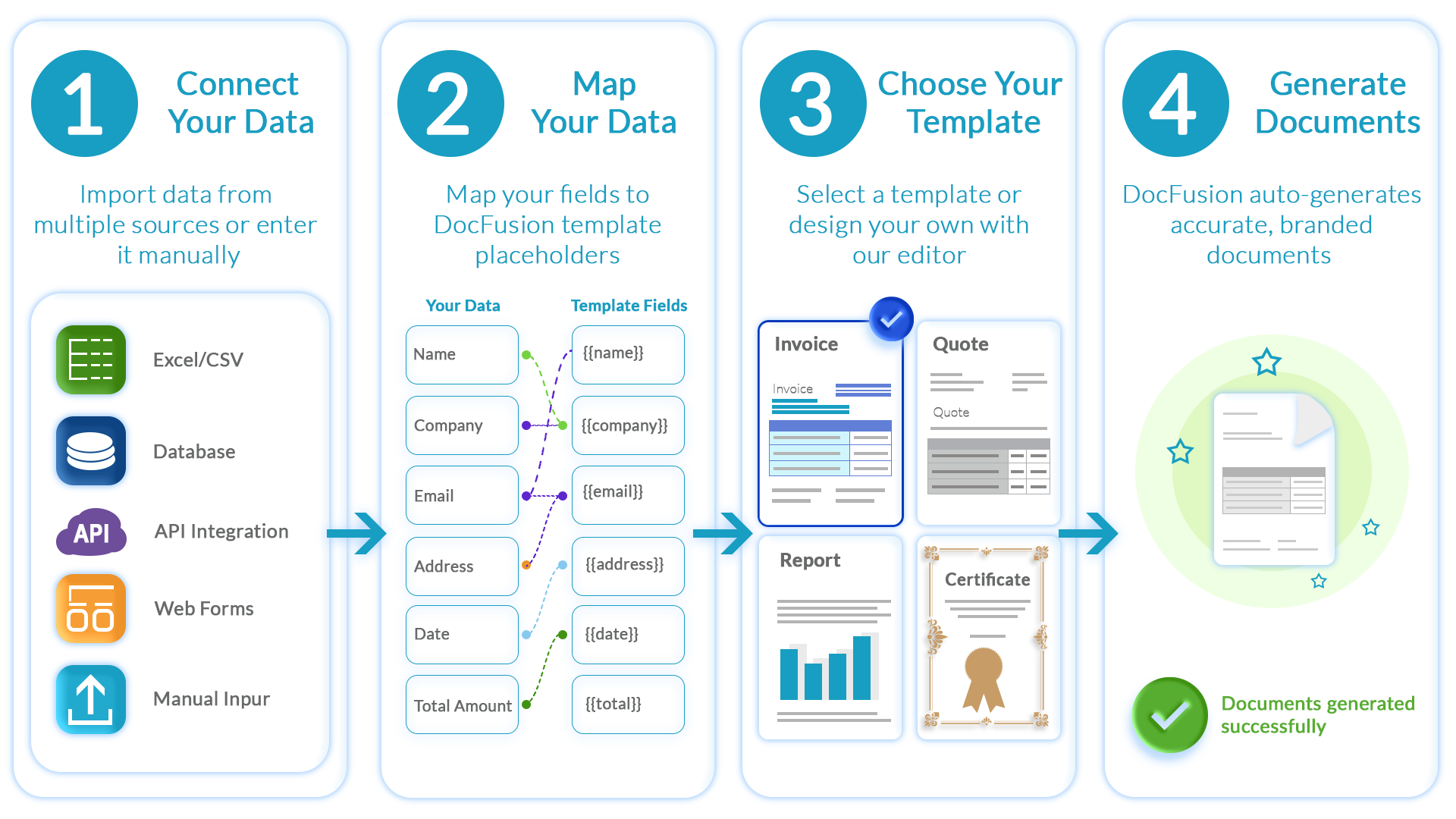
DocFusion
Insurance Document Generation: Why Mail Merge and PDF Fillers Break at Scale
Insurance runs on documents. Policy schedules, claims correspondence, regulatory disclosures, renewal notices, welcome packs, annual statements. Every customer interaction eventually becomes a document.
Yet most insurance platforms treat document generation as an afterthought. A custom mail merge built on Word or a templating library. A PDF filler that populates fields in a fixed form. Both ship fast. Both work for the demo. Both fall apart in production.
The platforms that get this right, the ones processing hundreds of thousands of policy documents without manual intervention, approach document generation as core infrastructure. Not a feature to tack on.
Insurance Documents Are Not Simple Templates
The fundamental mistake is underestimating the complexity. A retail invoice has a header, line items, and a total. An insurance policy document has conditional logic that rivals the underwriting engine producing it.
Consider what a single life insurance policy schedule requires:
- Product-specific sections that appear or disappear based on product type (term life, whole life, endowment, group cover), each with different disclosure requirements.
- Rider clauses conditionally included based on the policyholder’s selections: disability, critical illness, accidental death, each with its own terms, conditions, and regulatory language.
- Beneficiary tables that grow dynamically. One policyholder might have one beneficiary, another might have twelve. The document layout has to accommodate both without breaking.
- Jurisdiction-specific regulatory disclosures. The compliance language for a policy sold in one US state can differ from the same product sold in another, and both differ from the EU or UK regulatory regimes — multi-jurisdictional insurers have to produce documents that meet each regime.
- Multi-language requirements. A single product might need documents in English, French, German, Spanish, and Italian, each with correct formatting, character sets, and accented characters.
This is one document type. A typical insurance platform generates dozens: policy schedules, endorsements, claims acknowledgements, claims assessments, payment confirmations, renewal notices, lapse warnings, annual benefit statements, tax certificates.
Each document type has its own conditional logic, regulatory requirements, and formatting rules. Multiply that by product lines, jurisdictions, and languages, and you have a document generation challenge that no mail merge library or off-the-shelf PDF filler was designed to handle.
The Mail Merge and PDF Filler Trap
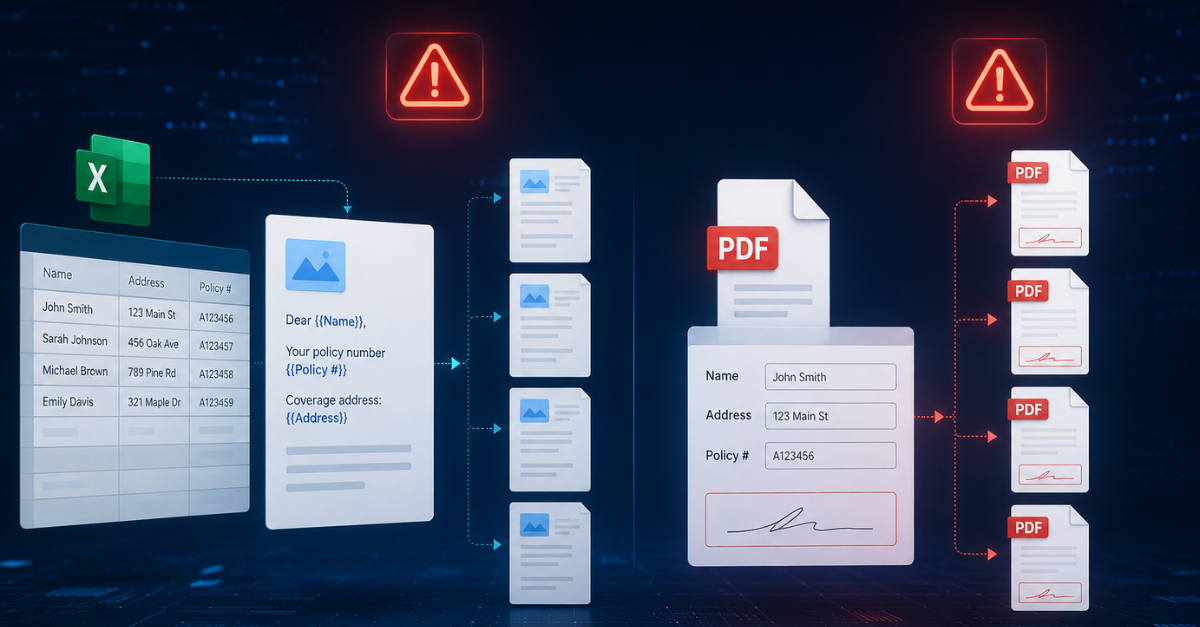
Most insurance platforms start with one of two homegrown approaches. A custom mail merge built on Microsoft Word’s MERGEFIELD or a code-level templating library such as docx-mailmerge or python-docx-template. Or a PDF filler that populates fields in a fixed PDF template: Adobe Acrobat AcroForms, iText, Apache PDFBox, or hand-rolled coordinate overlay code. Both ship fast. The first few document types work fine.
The problems surface at scale, and both approaches share them:
No template governance. Whether templates are .docx files in a shared drive or PDF forms in a repo, the story is the same: when a compliance officer asks “who changed the regulatory disclosure on the group life policy template, and when?”, there’s no answer. No version history. No approval workflow. No audit trail.
No segregation of duties. In both approaches, the same developer who writes the generation code also modifies the templates. In a regulated industry where template changes affect customer-facing legal documents, that’s an audit finding waiting to happen.
Conditional logic lives in code, not templates. Mail merge has primitive conditionals. Word’s {IF} fields work for simple branches but collapse fast as logic gets nested. Worse, Word’s {AND} field code cannot test text values, only numbers. Real text-comparison AND logic requires nested {IF} fields with arithmetic multiplication of 1/0 values, a workaround no non-technical business user can maintain. PDF fillers have no conditional logic at all. The business rules that determine which sections appear in a document end up hardcoded in the platform’s generation logic. Every new product variation requires a developer. Business users cannot modify document content without a release cycle.
Batch processing breaks. Monthly renewal runs, annual statement generation, year-end tax certificate batches — these high-volume operations need to generate tens of thousands of documents in a defined window. Homegrown mail merge and PDF filler pipelines weren’t designed for that load. Microsoft’s own guidance for Word mail merge is to chunk: “Instead of doing a single mail merge of 20,000 records, do ten mail merges of 2,000 records each.” When the vendor’s workaround is to split the job, the tool is telling on itself. In April 2026, a regression in Office Monthly Enterprise Channel version 2603 caused Word to crash after every mail merge run; as of this writing, the only working fix was an enterprise-wide rollback to version 2602. Regulated correspondence environments cannot rely on a tool whose correctness depends on a specific monthly Office patch level.
Multi-format output fractures. Mail merge produces Word first; PDF requires a separate render step. PDF fillers produce PDF only. Platforms often end up with a hybrid — mail merge for one document type, PDF filler for another, a reporting tool for a third — and the brand experience fractures across document types. Fonts differ. Margins shift. Formatting inconsistency becomes a support burden.
Multi-language is a template explosion. Both approaches support multi-language, but without abstraction. Each language becomes a separate template. English, French, German — three templates to maintain for every document type. Every regulatory update multiplies the work.
The open-source licensing trap. Platforms that reach for an open-source PDF library to handle form filling often discover at production deployment that the most capable option, iText, moved from LGPL to AGPL v3 with iText 5 in December 2009. Any closed-source SaaS that deploys iText 5 or later over a network must either open-source its entire stack or pay for a commercial licence. Many platform teams only find this out when their lawyer reads the deployment ticket.
Compliance consequences are concrete. The UK ICO reports that misdirected bulk emails are the single largest category of reported GDPR-related breaches, with roughly 2,392 incidents between 2019 and 2025. Mail merge on its own provides none of the primitives that regulated correspondence needs: recipient isolation, PII locking, auditable dispatch logs, or a documented audit trail tying which template version was used for which recipient. It is an improvement over ad-hoc CC/BCC bulk email; it is not the end state for regulated document distribution.
Both approaches work for the demo. Both fail when a regulator asks questions your platform can’t answer, or when the business asks for a new product line without a six-week development cycle.
Where mail merge and PDF fillers are fine
It is worth being specific about the boundary. Mail merge is the right tool for a 200-name one-off mailing list, an annual HR letter to 50 employees, or a marketing team’s personalised holiday email. AcroForm-based PDF filling is the right tool for government forms with mandated fixed layouts: a SARS return, an IRS form, an HMRC submission where the page layout is prescribed and unchangeable.
The displacement boundary is embedded in a customer-facing platform, at scale in a regulated workflow, or where the document layout itself must vary per recipient. Above that line, homegrown patterns turn into engineering liability and compliance risk. Below it, they are fine.
Template Management Is the Hidden Differentiator
The generation engine matters. The real differentiator for insurance platforms is what sits above the engine: template management.
Template management in an insurance context means:
- Role-based access control (RBAC). Compliance teams review and approve templates. Business users modify content within guardrails. Developers manage the data integration. Each role has defined permissions.
- Version history with rollback. Every template change is versioned. If a regulatory update introduces an error, you can roll back to the previous version immediately, not in the next release cycle.
- Approval workflows. Template changes go through a defined approval process before they reach production. A content change proposed by the business team gets reviewed by compliance, approved by a manager, and only then goes live.
- Segregation of duties. The person who designs a template is not the person who approves it for production use. This separation satisfies regulatory audit requirements that most homegrown solutions can’t meet.
- Audit trail. Every change (who, when, what, why) is logged. When regulators audit your document process, you have a complete history. This isn’t a nice-to-have. In insurance, it’s a regulatory expectation.
Platforms that treat template management as infrastructure rather than an afterthought find that their document process becomes an asset during compliance audits, not a liability.
How Embedded Generation Works for Insurance Platforms
The alternative to building and maintaining a mail merge pipeline or PDF filler is embedding a purpose-built document generation and template management engine into your insurance platform.
In practice, this means:
Your platform owns the workflow. The underwriting decision, the data assembly, the customer communication, all of that stays in your platform. When a document needs to be generated, your platform makes an API call with structured data and a template reference. The engine returns the formatted document.
Templates are designed in Microsoft Word. Not a proprietary editor that requires training. Your business analysts, compliance officers, or even client-facing teams can design and modify templates using tools they already know. Conditional logic, repeating sections, and formatting rules are built into the template itself, not hardcoded in your platform’s generation code.
Enterprise scale is built in. Batch processing handles high-volume runs (monthly renewals, annual statements, year-end correspondence) without infrastructure changes — batch windows that would be impractical to achieve with a homegrown mail merge or PDF filler approach.
Your brand, your product. End users, whether the insurance company using your platform or the policyholders receiving the documents, never see the generation engine. Documents carry your platform’s branding and formatting. The engine is invisible.
Compliance is architectural, not aspirational. Template governance with RBAC, versioning, approval workflows, and audit trails is built into the engine. You don’t need to build these capabilities into your platform; they come with the infrastructure.
The Insurance Document Generation Checklist
If you’re building or running an insurance platform, ask yourself:
- Can you tell a regulator exactly who changed a template and when?
- Can your compliance team review and approve template changes before they go live?
- Can your business users modify document content without a developer?
- Can you generate a full monthly renewal run — tens of thousands of policies, or more — in a defined batch window, without manual intervention?
- Are your documents consistent in formatting and branding across all document types?
- Do your templates handle conditional logic (product variations, jurisdictions, riders) without hardcoded rules in your platform’s code?
If the answer to any of these is no, your document generation approach has gaps that embedded infrastructure can close.
Key Takeaways
- Insurance documents are logic engines with compliance requirements, not templates with blanks. A single policy schedule carries conditional product variations, rider clauses, jurisdiction-specific disclosures, and multi-language formatting.
- Homegrown approaches — custom mail merge and PDF fillers — ship fast and break at insurance scale in the same ways. The failure modes (no template governance, no segregation of duties, conditional logic buried in code, batch bottlenecks, formatting inconsistency, multi-language template explosion) are compliance risks, not ergonomic complaints.
- Template management is the hidden differentiator. RBAC, version history, approval workflows, segregation of duties, and audit trail aren’t nice-to-haves; they’re regulatory expectations in insurance.
- Embedded document generation lets the platform own the workflow while the engine handles document complexity, template governance, and batch scale.
- The compliance audit is the test: if the platform can’t tell a regulator who changed a template and when, the document generation approach is the liability.
Enterprise-Grade Document Generation for Insurance Platforms
DocFusion is a document generation and template management engine embedded by insurance platform builders to handle the document complexity that comes with regulated, high-volume insurance operations. Policy schedules, claims correspondence, regulatory disclosures, batch renewals — generated at enterprise scale with the template governance that compliance demands.
If your insurance platform is outgrowing a mail merge or PDF filler approach, book a technical discovery call. We’ll walk the architecture, the template governance model, and the compliance integration.
Book a technical discovery call